Places to Keep

N5 · SAVE FROM A PHOTO

Save a place from a picture or screenshot

See a restaurant in a screenshot, a café in an article, or a shop sign while you’re out? N5: Keep from a Picture helps turn that visual reminder into a place you can actually find again.

Try Places to Keep
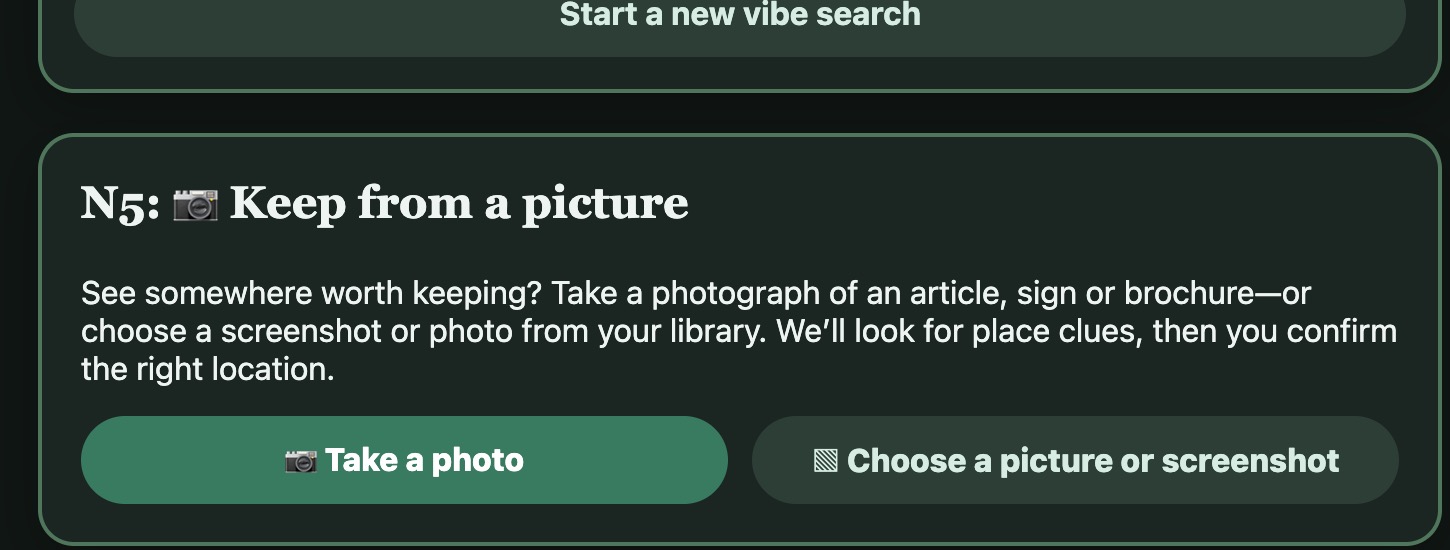
The actual PTK N5 Keep from a Picture screen, with Take a photo and Choose a picture or screenshot actions
N5: Keep from a Picture on the signed-in Places to Keep app. This is a real app screen, not an illustration.

How Keep from a Picture works

Start with an image

Take a new picture, choose an existing photo or screenshot, or search an image you copied to the clipboard in a compatible browser. PTK supports pictures of signs, articles, brochures and other images that might contain the name or location of a real place.

Confirm the place before saving

You explicitly request picture analysis. PTK looks for location clues, searches for matching places, and lets you decide which result is correct. It does not silently add a guess to your collection.

Keep the picture and the details

Once you choose a matching place, you can save it with your own details and the original picture. That way, the memory of where you discovered it stays connected to the location.

REAL-WORLD EXAMPLE

A restaurant spotted in an Instagram or TikTok post

An example of the screenshot workflow, not a screenshot of PTK or an automatic social-media importer.

  1. Capture a screenshot with a readable restaurant name or location clue

  2. Choose the screenshot in N5: Keep from a Picture and request analysis

  3. Confirm the correct place from search results; keep the place and image

After identifying the restaurant, add it to a favorite restaurant list, or put it on your Agenda for later.

Get started in PTK

  1. Open Add a place and find N5: Keep from a Picture. Choose Take a photo, Choose a picture or screenshot, or Search screenshot from clipboard.
  2. If using the clipboard, copy a screenshot first and allow clipboard access when prompted. Clipboard search starts the analysis automatically; the other options let you inspect your selected image before analysis.
  3. Review the suggested real-world location, confirm it, and save it.

PTK can search for real places shown in screenshots of Instagram or TikTok posts and video frames. Choose or copy a screenshot with useful place clues and confirm the match before saving.

Common questions

Can I save a restaurant I spotted in an Instagram or TikTok screenshot?

Yes. N5 can analyze screenshots of Instagram or TikTok posts and video frames to find place clues such as business names or signs. Select the screenshot or use Search screenshot from clipboard, then confirm the suggested location before saving.

What if the picture does not clearly identify the place?

Review the matching results instead of assuming the first guess is correct. If there is not enough evidence, you can use PTK's standard place search to find and confirm the location.

Keep the good places close.

Discover PTK's connected tools for remembering places and making plans.

Open Places to Keep